Showing posts with label Esther Makun. Show all posts

Friday, 22 January 2016

Evaluation Question 3

How did you use media technologies in the construction and research, planning and evaluation stages?

Before we began filming our music video , the internet was our main source of technology as during our research and construction stage it was used to help understand our target audience research about other artists and websites similar to ours and give us ideas on our music video and ancillary products.We used sites like Youtube to research artists and music videos and sites like Wikipedia and YouGov to get a better understanding of our audience.


After doing our research we put all our idea's together and created a pitch for the class. This pitch included all our reaserch and an animatic story board for our music video. 


During the process the main piece of technology we used was the DSLR camera which I provided . We saved all our videos on a memory card which  we transferred over to a group video drive so that we wouldn't be limited of space on the amount of video clips we could have. The quality of the camera was really sharp and in result of this we had crisp shots and not pixelated visuals. The DSLR Camera also had a setting allowing us to change how much light could go through the lens, this helped greatly with our lighting as most of our locations were dark.


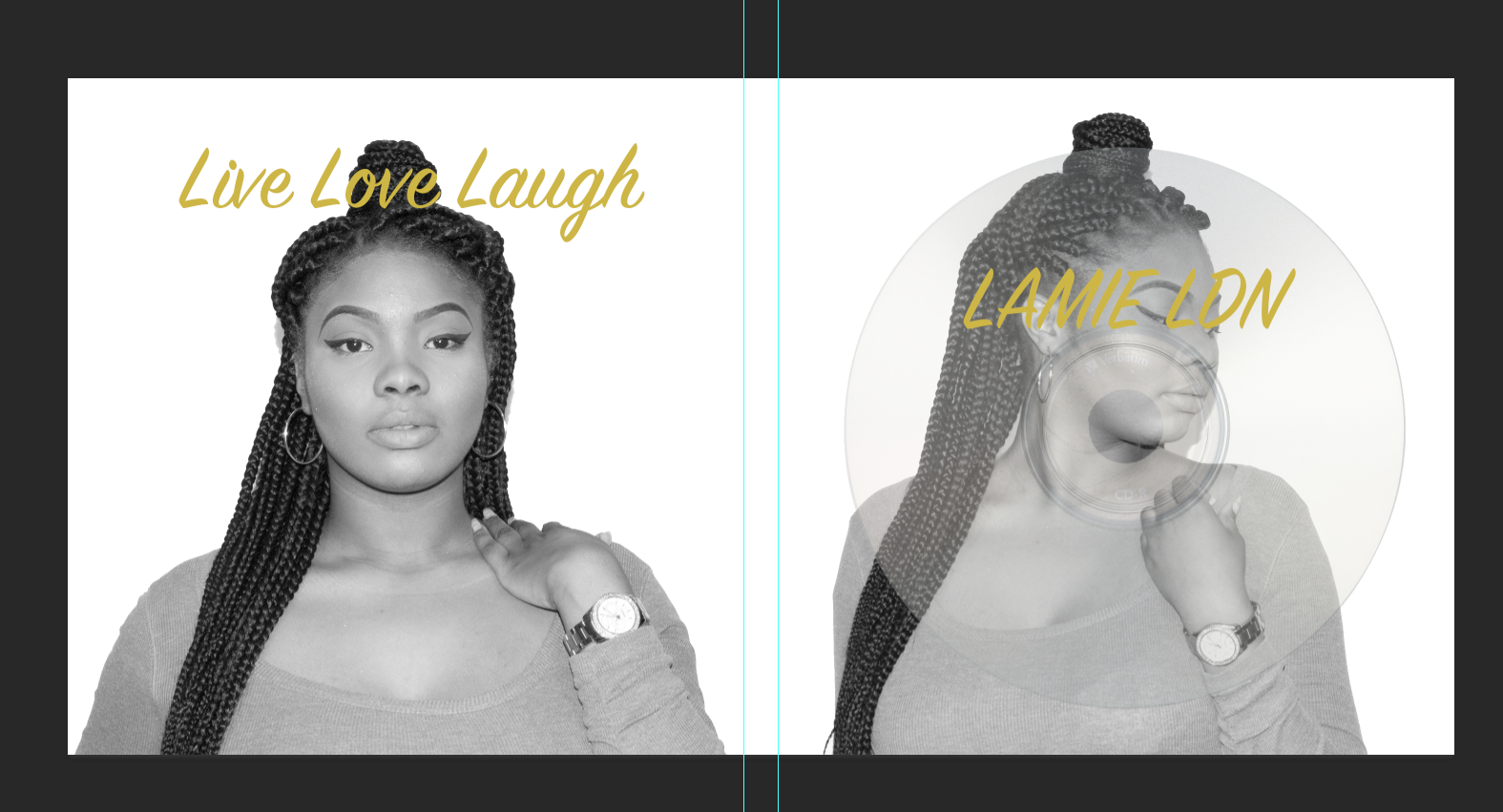
When creating my ancillary products I used photoshop to produce my Digipak, 


When editing the music video we used  Adobe Premier Pro and Adobe After Effects to edit the green screen. In Premier Pro we cut, edited and allowed our video to be in sync with the song. On After Effects we edited a mini green screen so that it appeared that the photo was being zoomed into. We had to come in our spare time to learn how to edit the green screen. 

When creating my website I used Weebly to create my website, it provided FREE templates and a FREE personalised URL. 


LamieLDN had a instagram and twitter page to keep her audience up to date with her stay relevant with todays social media.

For my evaluation I have used Prezi , Word Document Camtasia 2, Emaze,and video interviews. These methods of technology make the evaluation more stimulating and interesting. 

Evaluation Question 4

What have you learnt from your audience feedback?

Feedback after the cinema.


Evaluation Question 1

Powered by emaze

Evaluation Question 2

Wednesday, 6 January 2016

52. Photo's for ancillary


51. where my ideas have come from


I really liked the simplicity of the Adele websites first page. It was very straight to the point with information on how to get the album and what different platforms it was available on. Also it had direct links to tickets for her tour.


Like Adeles I also liked Sam Smiths website because as soon as you got to the website you were able to identify who's website it was and how to purchase their album.

50.Font , Colours And Layouts

Wednesday, 9 December 2015

Music video premier and Audience feedback

Today we previewed our music video along side our peers music videos at the Screen on the Green in Angel Islington. It was an exciting and really enjoyable experience! 


All of the feedback from our music video was positive, we decided to record some of our peers feedback to our video...


Saturday, 5 December 2015

Checked off


We would like to thank all the teachers that had contributed in helping our music video become a great success and we're very pleased to say our music video is finished and ready to be viewed within the cinema

Friday, 4 December 2015

Last editing day - Target audience's changes and green screen

After our feedback yesterday we arrived early to quickly fix the problems and then add in the green screen. 
To start with we had to substitute a few base tracks with others so that the story had more of a structure/narrative. For example, rather than the fire scene just randomly coming in in the middle of a verse it now came in at the start of the bridge where there is a change in the tone of the music.


After this we had to slightly shift some of the base tracks to make sure they were more edited to the beat, rather than the base tracks just changing in the middle of words. Overall this made the video flow much more fluently. 


Once this was done and we was completely happy with the changes, we went into after effects and done the green screen moving picture effect. (This was mentioned in our pitch). This consisted of us tracking the movement of the green paper, adding the video onto the paper, then cutting around LamieLdn's hand so it was visible over the video and looked as though she was holding the video. 
We then added a black and white filter so it matched the other memory videos and once we got back into Premier pro added in a zoom in effect so it created the illusion of us going into the memory through the picture.


Thursday, 3 December 2015

Editing on 3rd of December - black and white scene

Following on the previous day, it was now time to add in the boyfriend scenes. We wanted the boyfriend scenes to look like past memories and flashbacks, to put this message across to the audience we decided to place a black and white filter on all of the memory scenes with the boyfriend. This showed that those scenes had a significant difference to the rest of the video.


By the end of the day we managed to have a finished product of our music video. We completed glitches from the previous day and was ready to lastly add in our green screen. However before this was done, we decided to get a target audience member to look at our video.

 Unfortunately our target audience member felt like she could not see a clear structure in the video and thought that the editing was not on the beat enough. Although this was disappointing to hear we decided to listen to our audience and make these changes to our video tomorrow.

Wednesday, 2 December 2015

Editing session 2nd December

In today's lesson we edited the video from day to night. For the first two minuets of the song we edited it to be the day time, showing LamieLDN in house hold scenes. We transition to night via the fire scene where there is a long shot of LamieLDN singing to the fire. From here onwards we jump back and forth from day to night scenes. We plan to edit in the green screen tomorrow.


Monday, 30 November 2015

Feedback from Roughcut


Overview of todays editing


Toward the end of the lesson we also made a decision that we are going to have the video go from day time to night time so that the video does not look unorganised and has a structure. We also are now thinking of using a filter on the scenes where we flash back to memory's of LamieLDN with her boyfriend. This will differentiate that part of the video to the rest of the scenes showing that that particular scene is not set in the same time frame that the rest of the video is.


SCREENSHOTS OF US EDITING

editing 25th - Kizoa Online Movie Maker